
depicus
changing the digital world one bit at a time...


Remote Shutdown Daemon and Client (version 1.0) provide a method of remotely shutting down a computer either on a LAN or over the internet. There are two executable files, the daemon and the client.
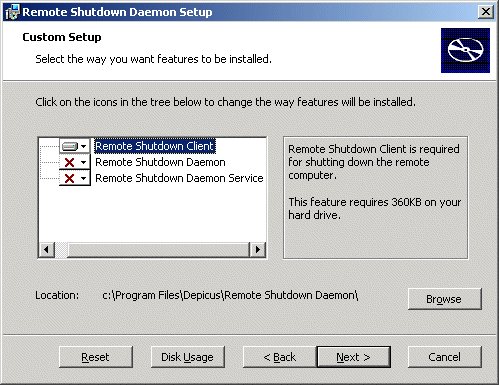
1. First download the zip file and unzip the msi file into a directory of your choice. Run the msi file and you will be presented with 3 options.
The "Remote Shutdown Client" is for the machine you want to use to send the shutdown message from.
The "Remote Shutdown Daemon" is for Windows 9x/ME
The "Remote Shutdown Daemon Service" is for NT/2000/XP/.NET
2. Run the executable "RemoteShutdownDaemon.exe" and you should see an icon appear in the system tray (see below).
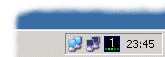
3. Note that the first time you run "RemoteShutdownDaemon.exe" your icon will show a "0" in the tray as you currently shouldn't have any connected users.
4. Next double click on the icon to bring up the main screen (see below). Check the details are correct but note that at this time you should not have had any connections.
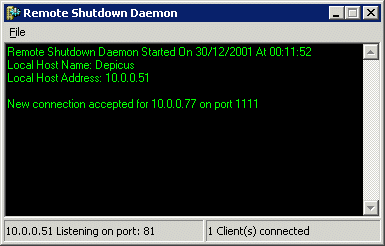
5. Select "File" > "Options" from the menu bar to show the configuration area (see below).
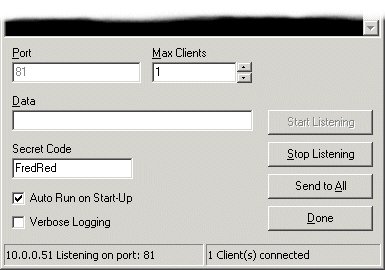
6. Remote Shutdown Daemon uses port 81 by default. You can "Stop Listening" and then change the port number if required to any valid port number (1 to 65535). Just remember you will need to know the port number you assigned for the client. The "Max Clients" allows you to restrict the number of uses that can connect.
If you have a mystery connection you can attempt to send a message to all connections by typing your message into the "Data" edit box and pressing "Send To All"
Very Important - You must change the "Secret Code" as the default setting of "Change Me Now!!!" will not allow the daemon to shut down the computer from the client until this has been changed.
Set "Auto Run on Start-Up" to have the daemon run when Windows starts. Please note you must be logged in for the program to run.
Set "Verbose Logging" to log all actions and connections made to the daemon. This is handy if you want to check for connections while you were not at the computer especially port scanners and the like.
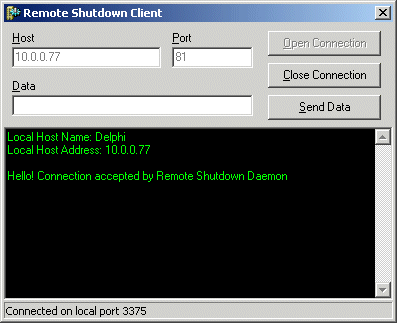
1. Fill in the host name of the remote computer that is running the Remote Shutdown Daemon and the port number if you have changed it from port 81. Then open the connection.
2. Fill in the "Secret Code" from the Remote Shutdown Daemon and press "Send Data" ... then the Remote Shutdown Daemon will shutdown your remote computer.
Price - Remote Shutdown Daemon is now free.